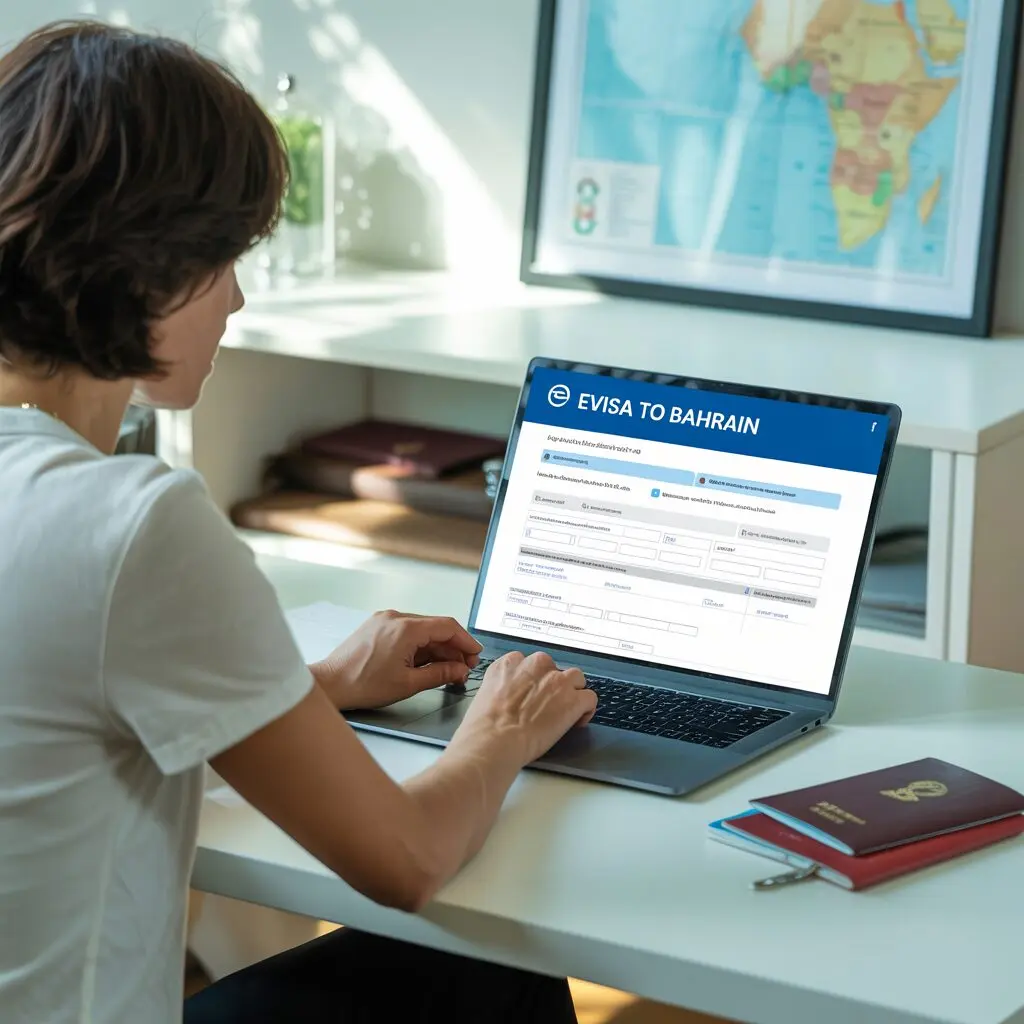
Applying for a Bahrain eVisa takes about 15-20 minutes on the official portal at evisa.gov.bh, and the entire process from application to approval typically takes 3-5 business days. This step-by-step guide walks you through every stage of the application – from creating your account to receiving your approved visa – so you can complete the process without errors or delays.
Before You Start: Preparation Checklist
Before opening the application portal, gather all required documents and information. Having everything ready will make the process smoother and help you avoid timeouts or incomplete submissions.
Documents to Prepare
- Valid passport with at least 6 months remaining validity
- Clear color scan of your passport bio-data page (JPEG or PDF, under 2MB)
- Recent passport-sized photo (35mm x 45mm, white background, JPEG/PNG)
- Hotel booking confirmation in Bahrain
- Return flight ticket or onward travel booking
- Bank statement (last 3 months) for financial proof
- Additional documents based on visa type (invitation letter for business, family proof for family visit)
Information to Have Ready
- Full name exactly as it appears on your passport
- Passport number, issue date, and expiry date
- Nationality and date of birth
- Planned entry and exit dates for Bahrain
- Accommodation address in Bahrain
- Email address you check regularly
- Credit or debit card for fee payment
Technical Requirements
- Stable internet connection
- Modern web browser (Chrome, Firefox, Safari, or Edge)
- PDF reader if uploading PDF documents
- Ability to resize images if they exceed the file size limit
Step 1: Create Your Account
Visit the Official Portal
Navigate to evisa.gov.bh – the official Bahrain eVisa portal operated by the Nationality, Passports and Residence Affairs (NPRA) department. Be cautious of unofficial websites that may charge additional fees or collect your personal data without authorization.
Register a New Account
Click the “Register” or “Create Account” button on the portal homepage. You will need to provide:
- Email address – Use an email you check regularly. All correspondence including your visa decision will be sent here.
- Password – Create a strong password with at least 8 characters, including uppercase, lowercase, numbers, and special characters.
- Security question – Select and answer a security question for account recovery.
Verify Your Email
After registration, check your email inbox for a verification message from the eVisa portal. Click the verification link to activate your account. If you do not see the email within 5 minutes, check your spam or junk folder.
The verification link typically expires within 24 hours. If it expires, you can request a new one from the login page.
Log In to Your Account
Once verified, return to evisa.gov.bh and log in with your email and password. You will be taken to your account dashboard where you can start a new application, track existing applications, and manage your profile.
Step 2: Complete the Application Form
Start a New Application
From your dashboard, click “New Application” or “Apply for eVisa.” The system will present a series of forms to complete. Take your time and ensure all information matches your passport exactly.
Personal Information Section
Fill in your personal details precisely as they appear on your passport:
- Full name: First name, middle name (if any), and surname – exactly as printed on your passport
- Date of birth: In the format requested (typically DD/MM/YYYY)
- Place of birth: City and country as shown on passport
- Gender: As indicated on your passport
- Nationality: Your current citizenship
- Marital status: Single, married, divorced, or widowed
Passport Details Section
Enter your passport information:
- Passport number: Including any prefix letters
- Date of issue: When your passport was issued
- Date of expiry: When your passport expires
- Issuing country: Country that issued your passport
- Type of passport: Regular, diplomatic, or official
Double-check every character of your passport number. A single wrong digit or letter will result in rejection or problems at immigration.
Travel Details Section
Provide your planned travel information:
- Purpose of visit: Tourism, business, family visit, transit, or other
- Visa type requested: Single entry or multiple entry (options depend on your nationality)
- Planned entry date: When you intend to arrive in Bahrain
- Planned exit date: When you plan to leave Bahrain
- Port of entry: Bahrain International Airport, King Fahd Causeway, or seaport
Accommodation Section
Enter where you will stay in Bahrain:
- Hotel name and address: From your booking confirmation
- Contact number: Hotel phone number
- Booking reference: Your hotel reservation number
If staying with family or friends, provide their address and contact details instead.
Employment Section
Provide your current employment information:
- Occupation: Your job title
- Employer name: Company or organization name
- Employer address: Work address
- Monthly income: Approximate monthly salary (helps demonstrate financial capability)
Step 3: Upload Required Documents
After completing the form, you will be prompted to upload your supporting documents.
Passport Bio-data Page Upload
- Click “Upload” next to the passport scan field
- Select your color scan of the passport bio-data page
- Ensure the file is JPEG or PDF format, under 2MB
- Verify the preview shows all text clearly, including the MRZ line at the bottom
- If the scan is unclear, cancel and upload a better quality scan
Passport Photo Upload
- Click “Upload” next to the photo field
- Select your passport-style photo (JPEG or PNG, under 2MB)
- Verify the preview shows your face clearly with a white background
- The photo should be recent (within 6 months) and meet all specifications
Additional Documents
Depending on your visa type, upload:
- Hotel booking confirmation: PDF or image of your reservation
- Return flight ticket: PDF or image of your booking confirmation
- Invitation letter: For business or family visit visas
- Bank statement: Recent 3-month statement (some applications may require this)
Tips for successful uploads:
- Rename files clearly (e.g., “passport_scan.pdf” not “IMG_20240101_001.jpg”)
- Ensure each file is within the size limit
- Use a scanner rather than a phone camera for documents
- If an upload fails, try reducing the file size or changing the format
Step 4: Pay the Visa Fee
Review Your Application
Before proceeding to payment, review all entered information one final time. Check for:
- Spelling errors in names
- Correct passport number
- Accurate dates
- Proper document uploads
You cannot edit most fields after payment, so this is your last chance to make corrections.
Select Payment Method
The portal accepts:
- Visa credit/debit cards
- Mastercard credit/debit cards
- Some regional payment methods (varies by country)
Complete Payment
- Enter your card details (card number, expiry date, CVV)
- Verify the amount matches the expected fee for your visa type
- Confirm the payment
- Wait for the payment confirmation screen – do not click back or refresh
You will receive a payment receipt via email. Save this for your records.
Fee Amounts by Visa Type
| Visa Type | Fee (BHD) | Fee (USD approx.) |
|---|---|---|
| Tourist (single, 2 weeks) | 9 | $24 |
| Tourist (multiple, 3 months) | 16 | $42 |
| Business (single) | 16 | $42 |
| Business (multiple, 1 year) | 25 | $66 |
| Transit (48 hours) | 4 | $11 |
| Express processing surcharge | 5-10 | $13-$27 |
For detailed fee information, see our Bahrain eVisa fees guide.
Step 5: Submit and Track Your Application
Final Submission
After payment, review the summary page showing all your application details and uploaded documents. If everything is correct, click “Submit Application.” You will receive:
- An on-screen confirmation with your application reference number
- A confirmation email with the same reference number
- An initial status of “Submitted” in your dashboard
Important: Save your application reference number. You need it to track your application and for any correspondence with the NPRA.
Track Your Application Status
Log in to your account at any time to check your application status. The possible statuses are:
- Submitted: Your application has been received and is queued for review
- Under Review: An officer is reviewing your application and documents
- Additional Information Required: You need to provide more documents or clarification
- Approved: Your eVisa has been granted
- Rejected: Your application was not approved (reasons provided)
Email Notifications
You will receive email notifications when:
- Your application status changes
- Additional information is required
- A decision has been made (approved or rejected)
Check your spam folder if you are not receiving expected emails.
Processing Timeframes
- Standard processing: 3-5 business days
- Express processing: 24-48 hours (if express option was selected and paid)
Processing begins from the date of submission, not from the date you created your account or started the form. Business days exclude Fridays, Saturdays, and Bahraini public holidays.
For more details on processing timelines, see our Bahrain eVisa processing time guide.
After Approval: What to Do Next
Download Your eVisa
Once approved, log in to your account and download your eVisa approval document. It will be available as a PDF in your application dashboard.
Print a Copy (Recommended)
While the eVisa is electronic and linked to your passport number, carrying a printed copy is recommended as a backup. Some airlines may ask to see it during check-in, and having a printout provides peace of mind.
Verify Details
Check that all details on your eVisa are correct:
- Name matches your passport
- Passport number is correct
- Visa type and validity dates are as expected
- Entry dates cover your travel plans
If you spot any errors, contact the NPRA immediately through the portal’s support system.
Before You Travel
- Ensure your passport is the same one used for the application
- Print your eVisa approval
- Have your return flight ticket accessible
- Keep your hotel booking confirmation handy
- Know the address where you will be staying in Bahrain
What If Your Application Is Rejected?
Understanding the Rejection
If your application is rejected, you will receive a notification with the reason. Common reasons include:
- Passport validity less than 6 months
- Name mismatch between application and passport
- Incomplete or unclear documents
- Incorrect visa type selection
- Insufficient financial proof
- Previous immigration violations
How to Reapply
- Review the rejection reason carefully
- Correct the identified issue
- Prepare updated or improved documents if needed
- Submit a new application through the portal
- Pay the full visa fee again (fees are non-refundable)
There is no mandatory waiting period between rejection and reapplication. However, ensure you have genuinely addressed the rejection reason before reapplying – submitting the same application without changes will result in another rejection.
For a detailed breakdown of rejection reasons and how to avoid them, see our Bahrain eVisa FAQ.
Tips for a Successful Application
- Apply early: Submit at least 2 weeks before your travel date to allow for processing time and any unexpected delays
- Use the same passport: You must travel on the same passport used for the application
- Match everything: Ensure names, dates, and numbers match exactly across all documents
- Quality scans: Use a proper scanner, not a phone camera, for document uploads
- Check email regularly: Including spam folder, for status updates
- Save your reference number: Keep it accessible for tracking and support inquiries
- Use a stable connection: Avoid submitting on unreliable Wi-Fi to prevent data loss
- Keep documents ready: Have all supporting documents prepared before starting
For general information about Bahrain travel, visit our Bahrain travel guide. For a complete overview of all visa aspects, see our Bahrain eVisa guide.
Application process and portal interface may change over time. Always refer to the official evisa.gov.bh portal for the most current instructions. Information current as of 2024.
Frequently Asked Questions
How long does it take to complete the Bahrain eVisa application online?
Filling out the online Bahrain eVisa application form typically takes between 10 and 20 minutes, depending on how prepared you are with the required documents. Having your passport details, digital photograph, accommodation information, and payment method ready before you start will speed up the process significantly. You can save your progress and return to complete the application if needed.
Can someone else apply for a Bahrain eVisa on my behalf?
Yes, another person can submit the eVisa application on your behalf, provided they have all your required documents and accurate personal information. This is common for family members, travel agents, and corporate travel departments handling group applications. However, the applicant whose name is on the visa remains responsible for the accuracy of all information submitted.
What if I make a mistake on my Bahrain eVisa application?
If you notice an error after submitting your application, you should contact the eVisa support team or the relevant Bahraini immigration authority as soon as possible. Minor typographical errors may be correctable, but significant mistakes such as wrong passport numbers or dates of birth could result in visa denial. In such cases, you may need to submit a new application with the correct details and pay the fee again.
Do I need to visit an embassy to get a Bahrain visa?
No, the Bahrain eVisa system allows eligible travelers to apply entirely online without visiting an embassy or consulate. The eVisa is processed electronically and delivered to your email address. However, if you are not eligible for the eVisa program, or if you require a specific visa type not available online, you may need to apply through the nearest Bahraini embassy or consulate.
What is the difference between applying for a Bahrain visa online versus at an embassy?
The online eVisa application is faster, more convenient, and can be completed from anywhere with internet access. Embassy applications may require in-person appointments, longer processing times, and additional paperwork. The eVisa is suitable for tourism, short business trips, and family visits, while embassy applications may be necessary for work visas, long-term stays, or applicants from non-eligible countries.
What happens after my Bahrain eVisa application is approved?
Once your eVisa is approved, you will receive an email notification with a link to download your eVisa document. You should print a copy and keep it with your travel documents. Upon arrival in Bahrain, present your passport and the printed eVisa at the immigration counter. The officer will verify your details and stamp your passport with the authorized period of stay.
Can I track the status of my Bahrain eVisa application?
Yes, you can track the status of your eVisa application through the official Bahrain eVisa portal. After submission, you will receive a reference number that can be used to check the progress of your application. Status updates typically include Under Review, Approved, or Rejected. You will also receive email notifications when there are changes to your application status.
Can I apply for a Bahrain eVisa using my mobile phone?
Yes, the Bahrain eVisa portal is mobile-friendly and can be accessed through any modern smartphone browser. You can complete the entire application process on your mobile device, including uploading documents and making payments. For the best experience, ensure you have a stable internet connection and that your documents are saved as clear digital files on your device.